
The short answer: The right managed service provider Seattle is not the cheapest option on a comparison sheet. It is the one with specific response time commitments in writing, cybersecurity built into the base plan, verifiable industry experience, and local presence when remote support is not enough. This guide walks you through exactly how to find that provider, what questions to ask, and what should end the conversation before it goes further.
Key Takeaways
- A managed service provider is accountable for your IT environment continuously. A break-fix IT company is accountable only after you call. That accountability difference is the most important thing to understand before comparing proposals.
- Every IT MSP in Seattle should provide a written SLA with specific response time commitments for critical issues. If they will not put it in writing, they are not accountable for meeting it.
- Ask every IT support company in Seattle what cybersecurity is included in the base plan and what is billed separately. If security is listed entirely as an add-on, the base plan does not protect your business.
- Onsite IT services in Seattle matter. Hardware failures, physical network problems, and security incidents sometimes require physical presence. A provider with no local capability has a real gap.
- Cloud management is a core expectation, not a premium service. Remote endpoint management, Microsoft 365 administration, and secure remote access architecture should be standard offerings, not upgrades.
- Small business IT support in Seattle should match the threat environment, not the headcount. The threats facing a ten-person firm are not smaller than those facing a sixty-person firm.
Why the Managed Service Provider Decision Is Different From Most Technology Choices
Most technology purchases are reversible. A poorly chosen project management tool costs you a migration weekend. A poorly chosen managed service provider Seattle costs significantly more: a security incident the provider was not equipped to prevent, operational disruption when response times fall short of what was promised verbally, and the complexity of switching providers while your business continues to run.
The managed IT relationship is deeply embedded in your environment. Your provider holds credentials for your infrastructure, owns documentation for your systems, and is accountable for your operational uptime. A careful evaluation is worth the time it takes. This guide gives you the framework to do it right.
What Separates a Managed Service Provider From a Break-Fix IT Company
The break-fix model is exactly what it sounds like. You call when something breaks, a technician bills by the hour to fix it, and the relationship pauses until the next problem. There is no ongoing monitoring, no proactive maintenance, and no accountability for what happens between service calls. Your IT health is entirely your responsibility until it becomes their invoice.
A managed service provider Seattle operates under continuous accountability. Your provider monitors your environment, patches vulnerabilities, manages your security tools, and in many cases is responding to an alert before your team knows anything is wrong. Their fixed monthly fee gives them a direct financial incentive to prevent problems rather than accumulate service calls. If systems are performing poorly, they absorb the cost of resolution rather than billing for it.
That accountability shift changes the entire nature of the relationship. It is not a vendor you call when something is already broken. It is closer to having a full IT department operating at the depth of a specialized team, accountable for outcomes rather than hours.
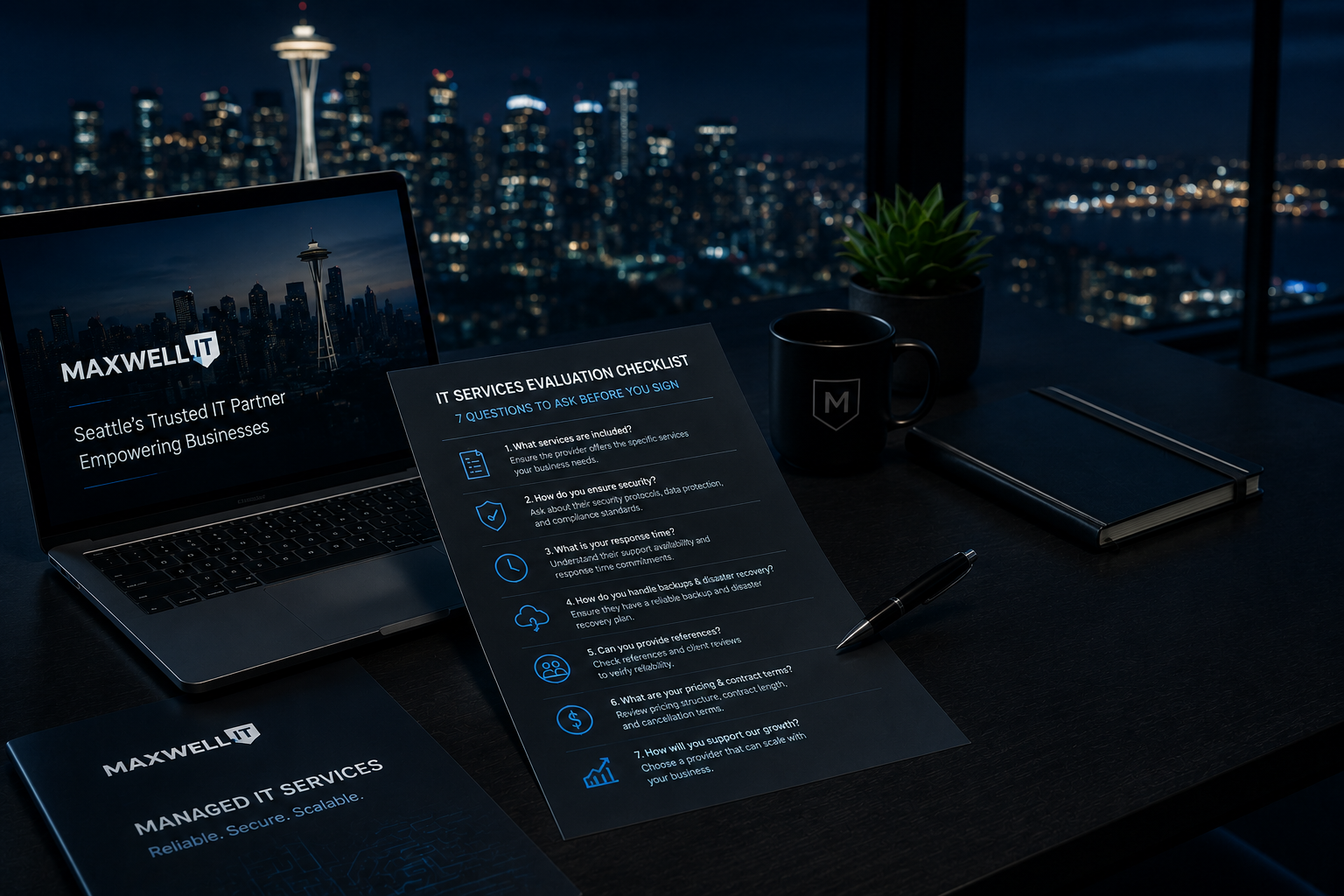
Seven Questions to Ask Every IT Support Company in Seattle Before You Sign
These questions are specific by design. Vague questions produce vague answers that do not reveal how a provider actually operates. Ask these and evaluate the specificity of the responses as much as the content.
1. What does your proactive monitoring actually include?
Ask for an itemized list: server health, endpoint status, patch levels, backup job completions, security alerts, and network performance. Any IT MSP in Seattle who cannot itemize what they monitor is not running a proactive operation regardless of what their website describes.
2. What is your committed response time for a critical issue, and is it in your contract?
Critical means systems are down, an active security incident is underway, or a failure is preventing your team from working. Ask for the SLA document specifically, not a verbal estimate. A quality managed IT provider commits to minutes in writing for critical events. A provider who will not document this is not accountable for meeting it.
3. Do you have verifiable experience with businesses in my industry?
Law firms, healthcare practices, engineering firms, and technology startups each carry different compliance requirements, uptime expectations, and risk profiles. Ask for references from businesses in your specific industry and of comparable size. General IT experience and industry-specific IT experience are not equivalent.
4. What cybersecurity is included in the base plan, and what is billed separately?
This is the most revealing question you can ask. If endpoint protection, email security, and multi-factor authentication are all listed as separate line items, the base plan was priced to look competitive on a comparison sheet, not to protect your business. Genuine small business IT support includes cybersecurity as a core component, not a premium upgrade.
5. Do you offer onsite IT services in Seattle?
Remote support resolves the majority of day-to-day issues efficiently and quickly. But hardware failures, physical cabling problems, and security incidents that require isolating a device or physically securing a space sometimes need someone on-site. An IT support company with no ability to dispatch a technician has a genuine service gap for those scenarios.
6. How do you manage IT for remote and hybrid teams?
If any part of your workforce operates outside the office, ask specifically how the provider handles endpoint management for remote employees, how secure remote access is configured and maintained, and what the process is for onboarding employees who never come into an office. Providers whose capabilities were built for on-premise environments often give vague answers here.
7. What does your client offboarding process look like?
This question reveals how a provider operates when they know you might be leaving. A professional managed service provider can describe clearly what happens to your data, credentials, network documentation, and configurations if the engagement ends. Hesitation or vagueness on this question is worth taking seriously.
Red Flags That Should End the Conversation
These are not minor concerns to weigh alongside other factors. Any of the following should remove a provider from consideration.
No written SLA
A managed service provider who will not document specific response time commitments is not accountable for meeting them. If they will not commit to paper during the sales process, the terms will not improve after you sign.
No assessment before the proposal
Any IT MSP in Seattle who sends a proposal after a single sales call without assessing your current environment is selling a template. A real provider needs to understand your infrastructure, user count, compliance requirements, and current gaps before they can tell you what managing your environment will require.
Cybersecurity listed entirely as an add-on
A base plan with no security capabilities is a help desk subscription. If every security function appears as a separate line item, the base price was designed to win a cost comparison, not to protect your business. Walk away.
No local presence in Seattle
Remote-only IT support is adequate for the large majority of day-to-day operational issues. It is not adequate for hardware failures that require physical access, network infrastructure problems, or security incidents that require on-site containment. A provider with no ability to dispatch anyone locally has a real capability gap.
No references from businesses like yours
Reputable IT support companies in Seattle have clients who will take a reference call. If a provider cannot connect you with current clients of comparable size and industry, or becomes evasive when asked, that absence communicates something important about their confidence in client satisfaction.
What Genuine Cloud Expertise Looks Like in a Managed IT Provider
When a managed service provider claims cloud expertise, that claim should be specific and demonstrable. Here is what genuine cloud management capability looks like in practice for Seattle businesses.
Active Microsoft 365 Administration
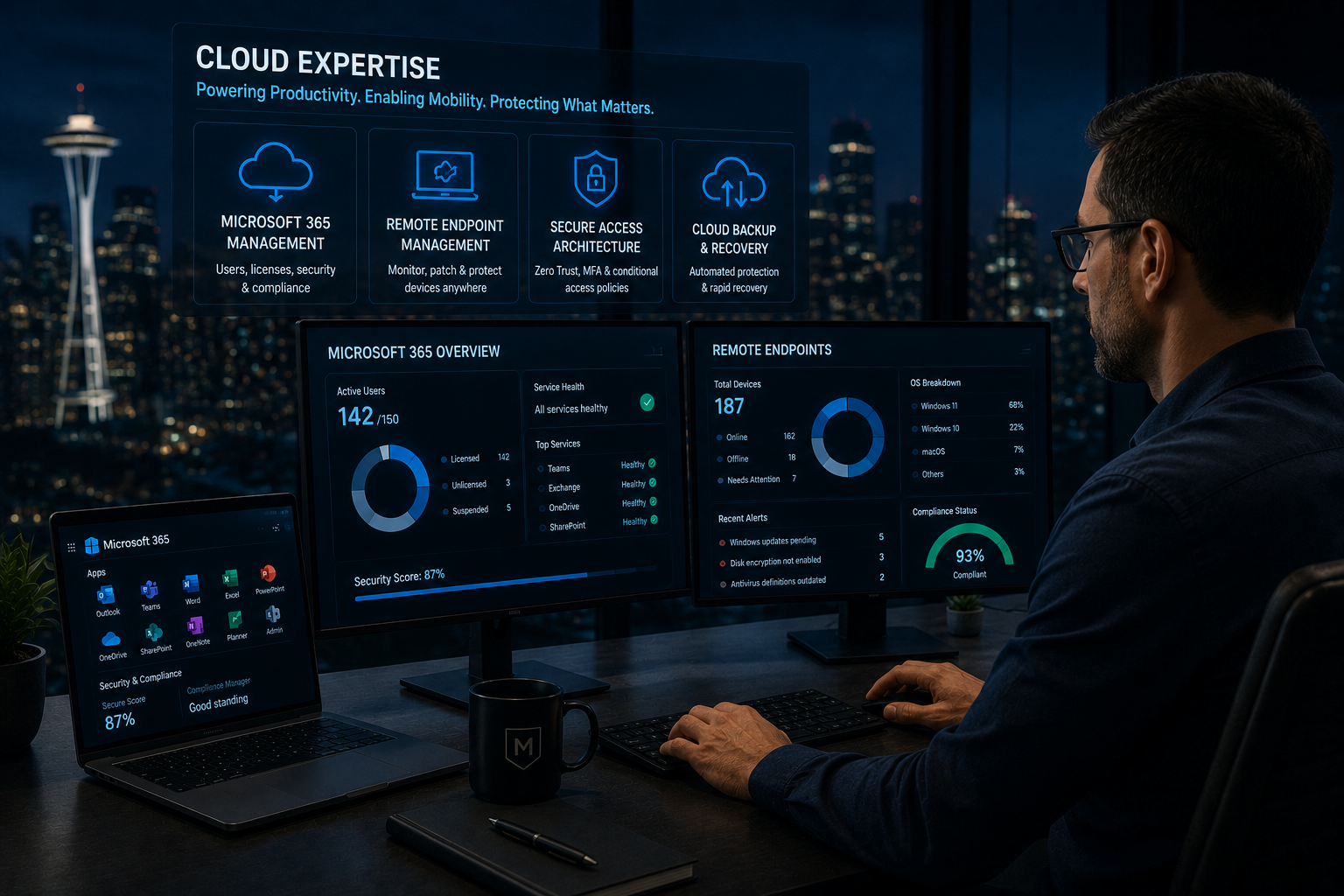
Most Seattle businesses run on Microsoft 365. Active management means owning your tenant configuration, including security settings, conditional access policies, license right-sizing, and user administration. A provider who treats Microsoft 365 as something your team manages independently is not delivering cloud management.
Remote Endpoint Management at Scale
Every device in your organization should be enrolled in a management platform that allows your provider to monitor device health, deploy patches, enforce security policies, and remotely wipe a device if it is lost or compromised. This applies to remote employees and field workers, not just office-based staff.
Secure Remote Access Architecture
Whether your team uses VPN, a zero-trust network access model, or a combination, the access layer requires active configuration and maintenance, not a one-time setup. An IT MSP whose remote access infrastructure has not been reviewed or updated since the shift to hybrid work is not managing your security posture.
NIST Zero Trust Architecture guidance
Collaboration Platform Security
Microsoft Teams and similar tools carry real security considerations: guest access policies, external sharing settings, data retention configuration, and audit logging. Misconfigured collaboration platforms are a consistent source of data exposure that most businesses do not identify until an incident prompts a review.
Top MSP IT Solutions for Remote Workforce Management
Remote workforce IT is a distinct discipline, and the right managed service provider in Seattle should be able to describe their remote capabilities in concrete terms. Here is the complete scope of what a mature remote IT solution should cover.
Access provisioning and deprovisioning must work as a managed, reliable process. When someone joins or leaves, access changes happen completely and reliably regardless of where that person is located. Incomplete offboarding is one of the most common security gaps in distributed organizations.
Every device needs endpoint protection and patch management regardless of location. The attack surface for a remote employee working from a home network is no smaller than for an employee in the office.
Help desk response times must apply equally to remote employees as they do to office staff. A two-tier support model where remote workers consistently wait longer for resolution is not delivering consistent service.
Hardware logistics and replacement processes must be defined and owned by the provider for remote employees. When a remote team member has a hardware failure, a capable IT MSP in Seattle should have a clear process for resolution that does not require the employee to visit an office or manage shipping on their own.
What Small Business IT Support in Seattle Should Include at Every Growth Stage
Small businesses consistently underestimate their IT support requirements relative to their actual risk exposure. Cyber threats do not adjust for company size, and the cost of an incident scales with how unprepared the business was, not how large it is.

Under 25 Employees
Small business IT support in Seattle at this stage should include at minimum 24/7 monitoring, patch management, endpoint protection, email security, and tested data backup. Help desk access for day-to-day issues is a baseline expectation. Security cannot be deferred as a future investment at any headcount.
25 to 75 Employees
At this stage, the scope expands to include cloud environment management, a formal written SLA structure, compliance readiness for any regulated data you handle, and a named account contact at your provider who has direct knowledge of your specific business and environment.
75 to 150 Employees
Strategic IT planning becomes valuable as businesses approach this size. A managed service provider who can function as an advisor on technology investments, vendor relationships, and infrastructure decisions shifts IT from a cost center to a competitive function. This is where the managed relationship delivers its highest return.
Maxwell IT works with businesses across all three stages. Plans are built around your current environment and scale as your business grows without locking you into a contract sized for a company you have not become yet. A free IT assessment is the right starting point if you are evaluating where your business fits.
Frequently Asked Questions
How do I choose a managed service provider in Seattle?
Start with three requirements: a written SLA with specific response times for critical issues, a clear breakdown of what cybersecurity is included versus billed separately, and references from businesses in your industry and of similar size. Any provider who cannot provide all three warrants further scrutiny before proceeding.
What is the best managed IT service provider for small businesses in Seattle?
The best provider for a small business is one with direct experience in your industry, a written SLA, local presence for onsite IT services in Seattle, and cybersecurity built into the base plan. Price should be evaluated against scope and accountability, not compared in isolation across proposals with different inclusions.
What should I look for in an IT support company in Seattle?
Proactive monitoring with a specific itemized list of what is covered, written response time commitments, cybersecurity included in the base plan, demonstrated cloud management capabilities, and proven ability to support remote and hybrid teams. References from current clients of comparable size and industry are also essential.
What is the difference between a managed service provider and a break-fix IT company?
A break-fix company bills for repairs after failures occur. A managed service provider owns the ongoing health of your IT environment for a fixed monthly fee and is accountable for uptime, security, and system health continuously, not just when something has already gone wrong.
Do I need onsite IT services in Seattle, or is remote support sufficient?
Remote support handles the large majority of day-to-day issues quickly and effectively. Onsite capability matters when hardware requires physical attention, network infrastructure has a physical failure, or a security incident requires on-site presence to contain. A managed service provider with no local onsite capability has a gap for those scenarios.
What are the top MSP IT solutions for remote workforce management?
A complete remote workforce IT solution includes actively maintained secure remote access infrastructure, endpoint management for all devices regardless of location, collaboration platform security configuration, and fully managed remote onboarding and offboarding. Providers who cannot describe these capabilities specifically may not have built them comprehensively.
How do I find reputable IT firms offering 24/7 help desk support for small businesses in Seattle?
Look for managed IT providers who include 24/7 monitoring and support in their base plan, provide a written SLA with specific response time commitments for critical issues, and can supply references from Seattle-area businesses of similar size. Local providers are preferable for any business that may periodically need onsite IT services in Seattle.
Does Maxwell IT serve businesses outside of Seattle?
Yes. Maxwell IT serves businesses across Seattle, Portland, Tacoma, and Alaska. Our managed IT engagements include proactive monitoring, cybersecurity built into every plan, cloud and remote workforce management, and onsite capability across our full service region.
Ready to Find the Right Managed Service Provider in Seattle?
The right IT support company will be clear about what is included, put their commitments in writing, and have the references to back up what they say. Maxwell IT serves small and mid-size businesses as a proactive managed service provider across Seattle, Portland, and Alaska, with a written SLA, cybersecurity built into every plan, and local teams available when you need them.
Book Your Free IT Assessment: https://www.maxwellit.com/contact
Last updated: June 26, 2026